BitCraft Online.
Clockwork Labs
During the pre-alpha and initial alpha phases, I joined the Clockwork Labs team as the Lead UX Designer for the social, collaborative MMORPG BitCraft Online.
As part of a small, early-stage team, I led the UX across nearly every system in the game from 2021 to 2024, helping to shape core features from concept to implementation. My role involved designing an entire ecosystem of features that work in tandem.
I practiced hands-on UX & UI design and research, created high-quality prototypes and detailed logic documentation, strongly advocated for user voices, organized and facilitated workshops for team collaboration, managed remote workflow and handoffs, and conducted playtests for quality assurance.
To learn more about specific features and my design process, please see my case studies on the Compendium and the World Map.
BitCraft is a massively multiplayer community sandbox game where players work together to build a new civilization in a single, editable wilderness with an ancient past. BitCraft’s gameplay emphasizes skilling, building, crafting, farming, trading, and exploring, empowering players to cultivate a sheltered village with their friends or establish impressive cities and empires.
— Official BitCraft Online Website
TOOLS
- Figma
- Notion
- Surveymonkey
- Google suite
- Adobe Suite
Team
Tyler Cloutier (CEO)Alessandro Asoni (CTO)Carter Minshull (Lead Game Designer)
Randy Hyunh
Stephen Anadon Jr.Lisandro Crespo (UI Engineer)
DELIVERABLES
- User & market research
- Data synthesis + insight development
- Logic + hierarchy building
- Conducting team workshops
- Wireframes
- Interactive + static prototypes
- Pre-alpha UI design + component library
- Hand off and implementation documentation
- Feedback collection + synthesis
Key features I Worked On.

Achievements
Base building
Character menu
Combat
Compendium
Crafting
HUD + other base UI
Movement + world interactions
Onboarding
Scalable social systems
Settings
Storage
Targeting
Terrain editing
Tooltips
Trade and commerce
World map
... and more!
Process Highlights.
During my time at Clockwork Labs, my work spanned all existing features within BitCraft. My responsibilities included writing foundational logic, creating wireframes and prototypes, composing comprehensive design documentation, and, in some cases, building final UI and component libraries. The following examples showcase parts of my process.
Construction + Terrain Editing.
BitCraft’s world is dynamic, as players can build structures, edit terrain height, and place paths. These processes occur through a small number of systems, making cohesion essential. To construct a structure, players first place "construction sites" using the construction menu. These sites serve as collaborative hubs for collecting materials and ongoing work to advance the build.
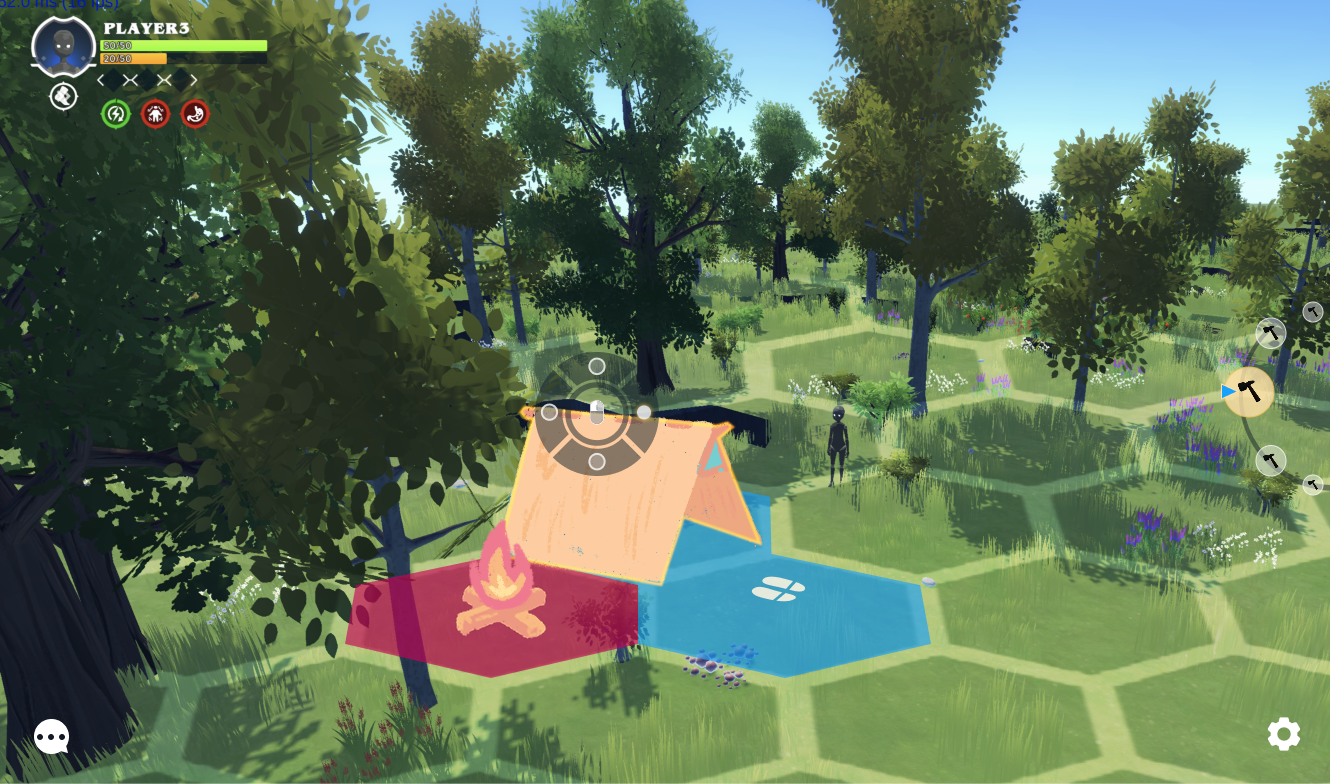
An early draw-over I created to indicate the toggleable hexagonal placement grid and structure footprints equipped with entrance indicators and placement feedback.
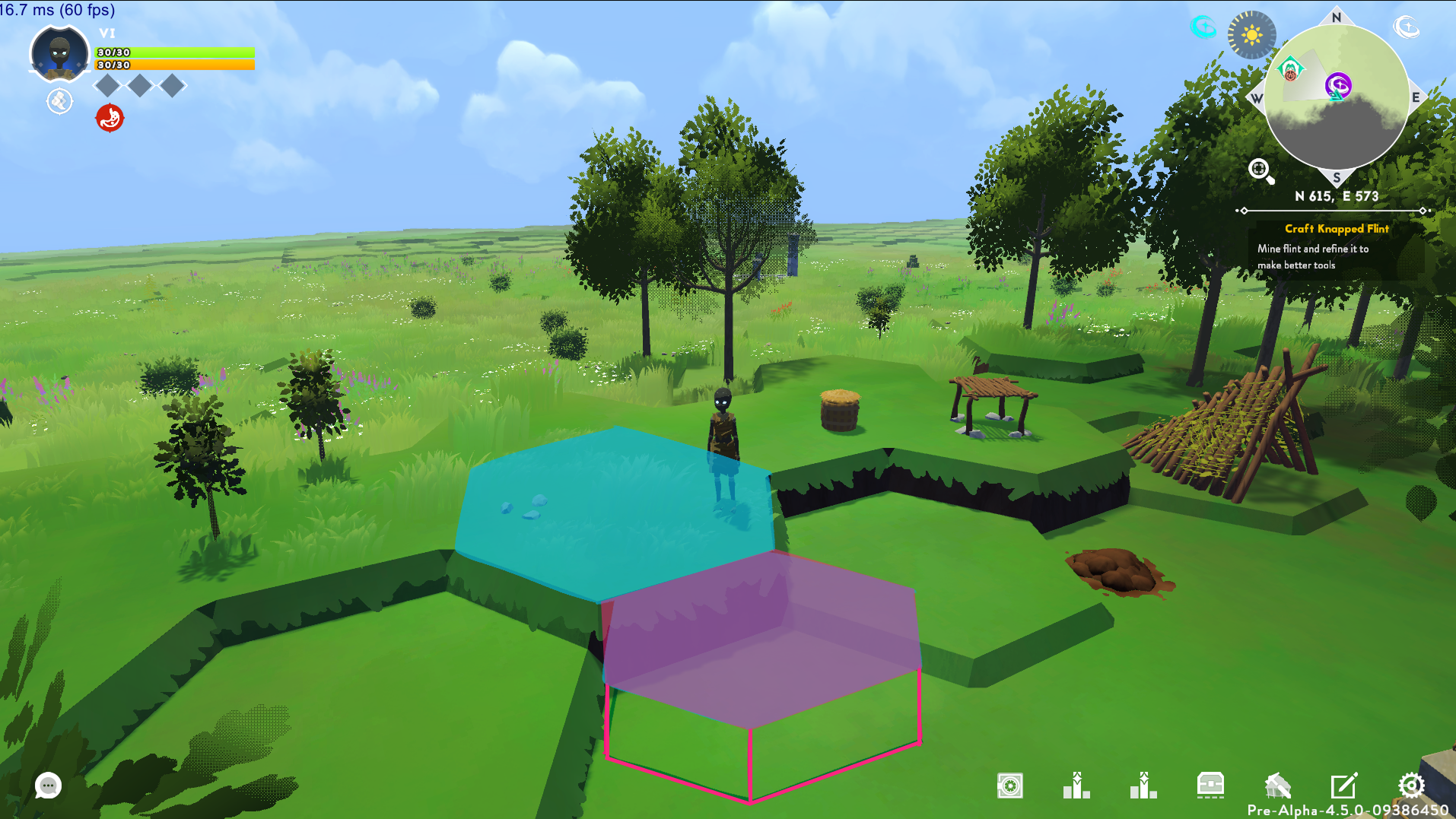
An additional draw-over created to indicate how the game handles invalid placement due to uneven terrain.
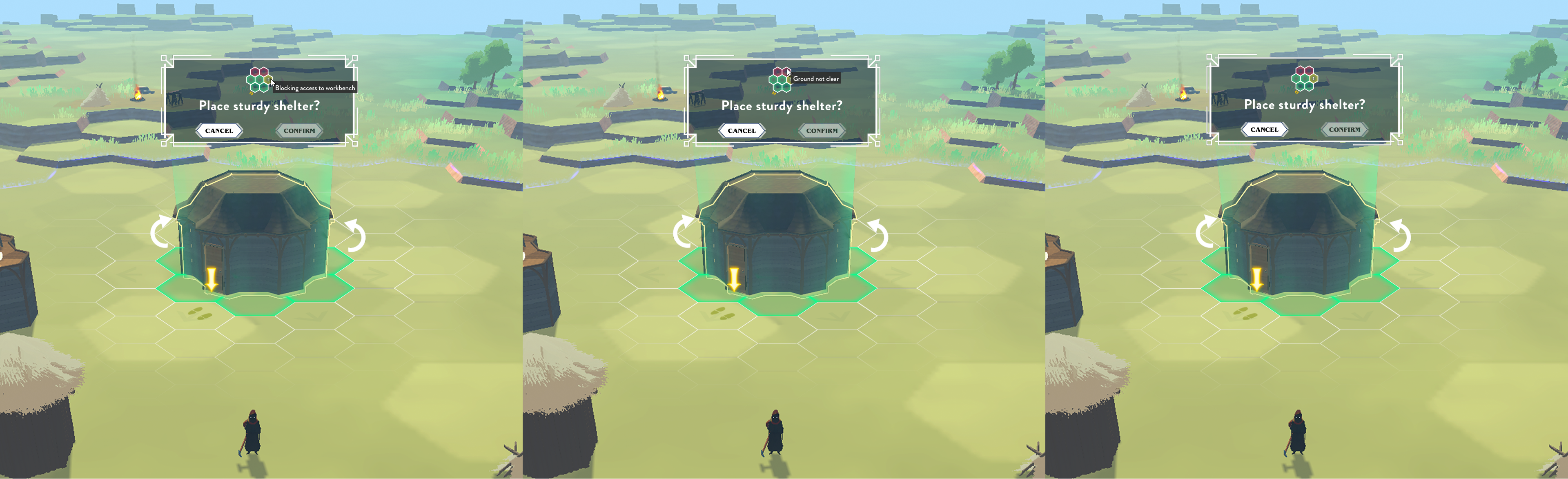
An early mockup of rotational and placement UI.
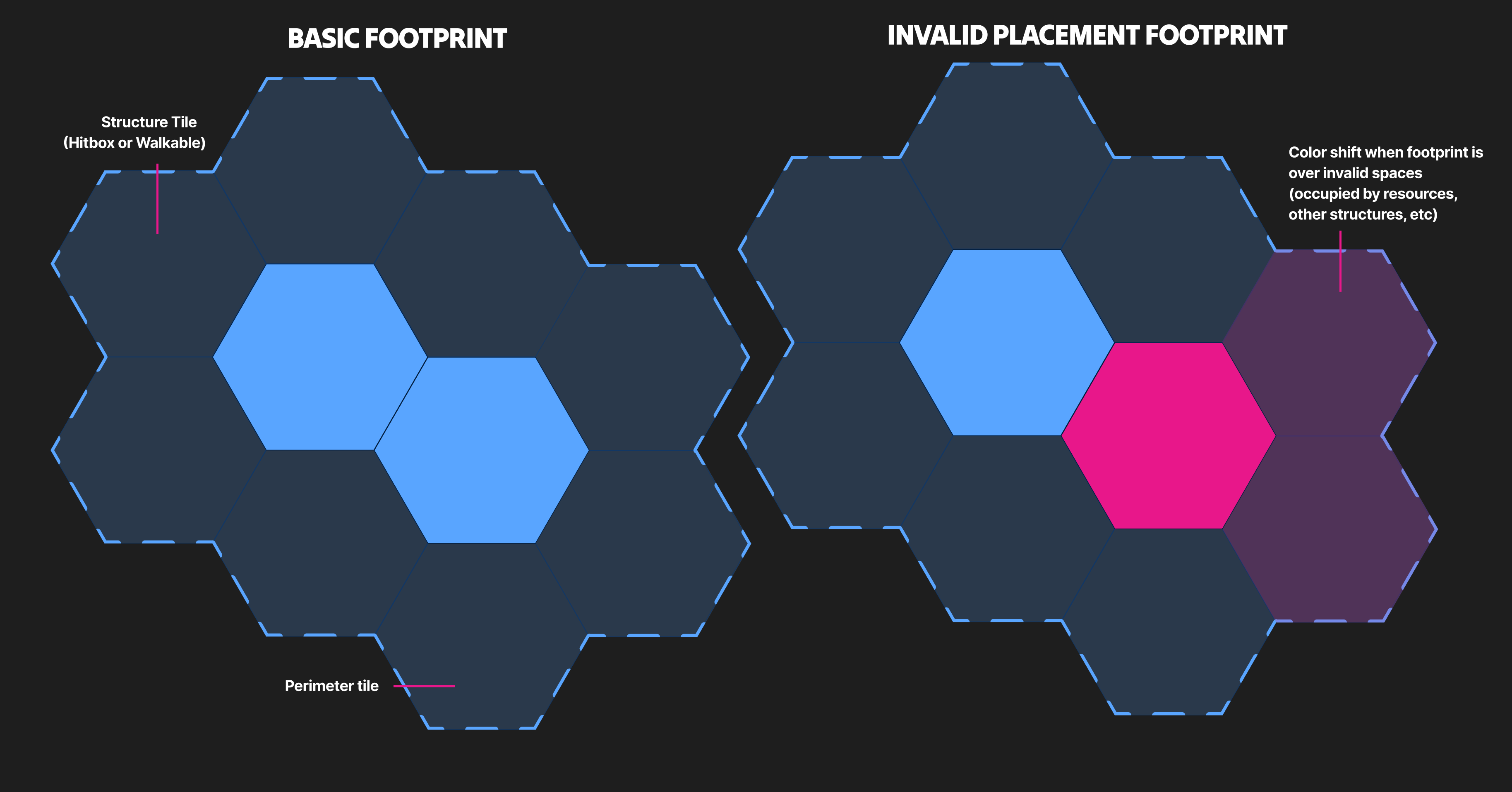
A mockup of structure footprints and the behavior of perimeter tiles.
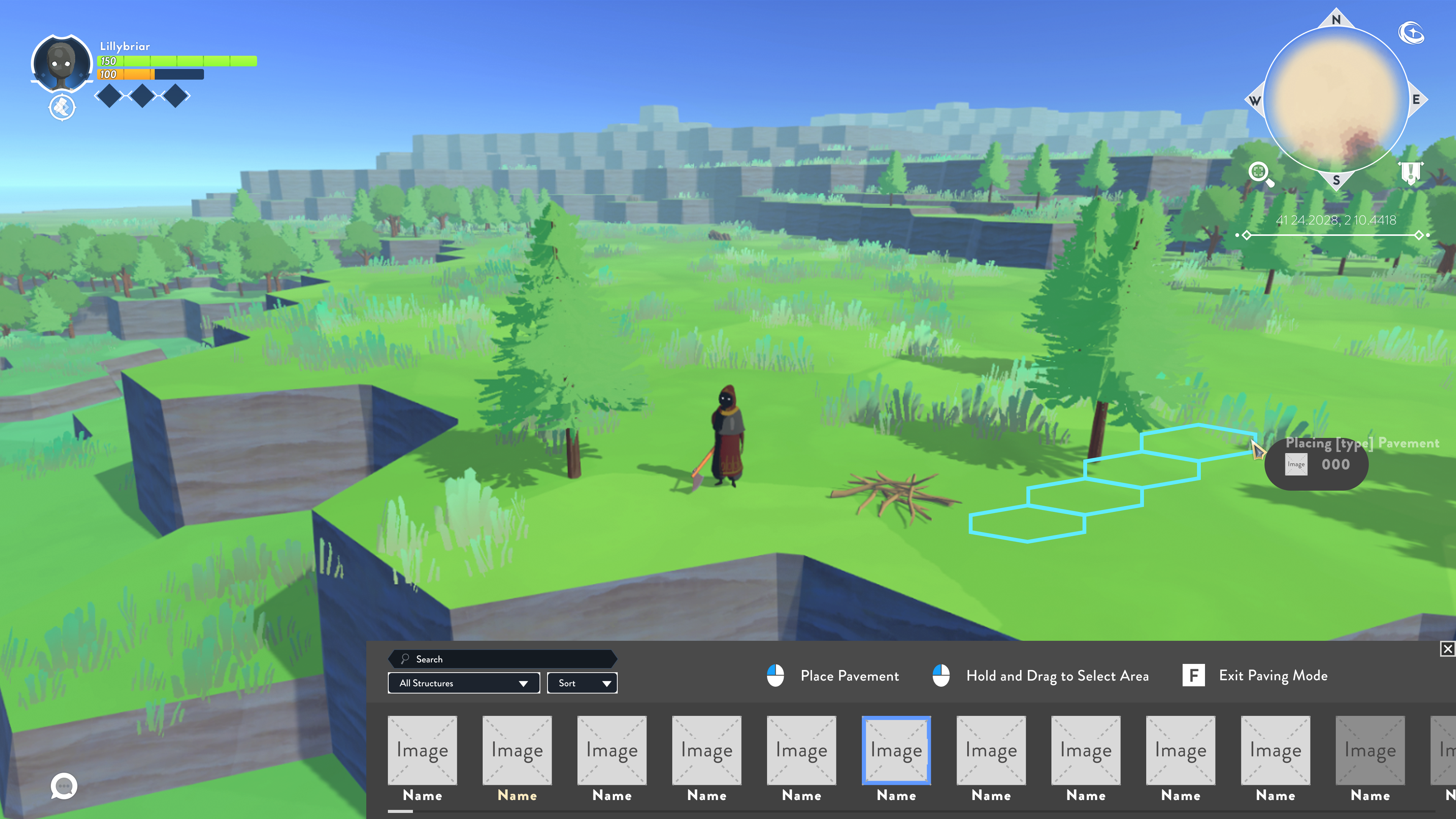
Low-fidelity mockup for the construction menu.
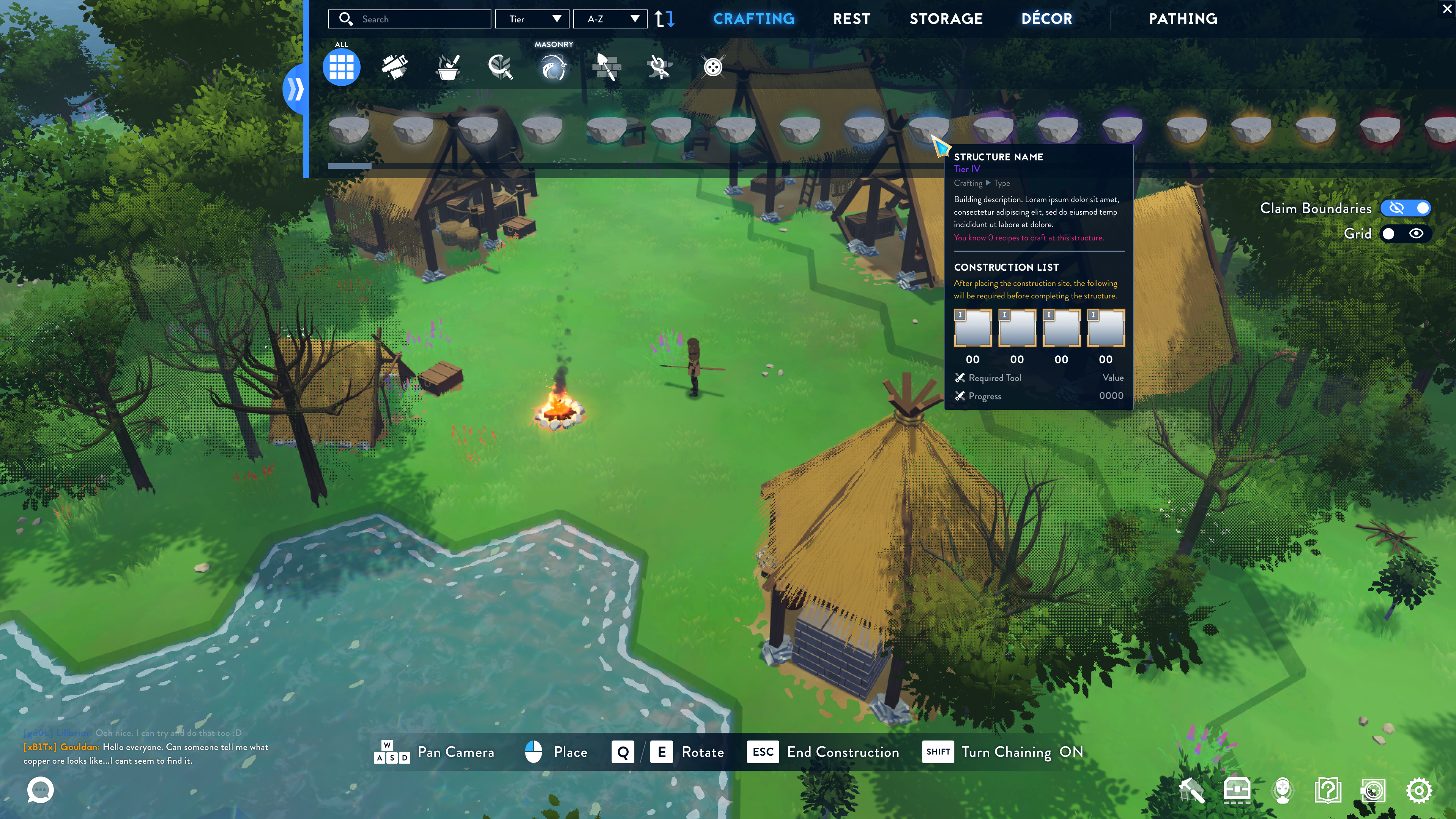
High-fidelity mockup of the construction menu, displaying hover tooltip information and an updated HUD.
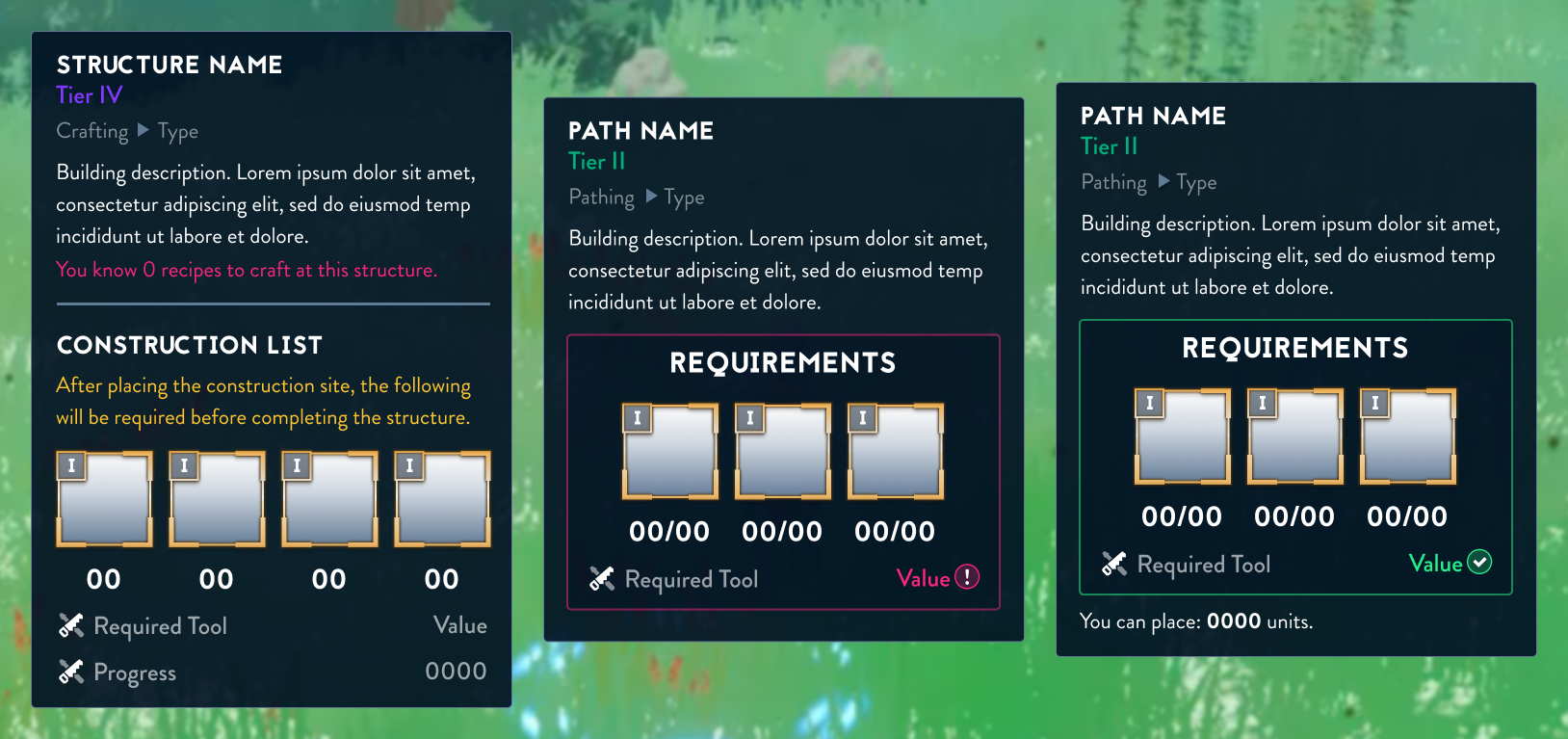
Tooltip variations for the construction menu.
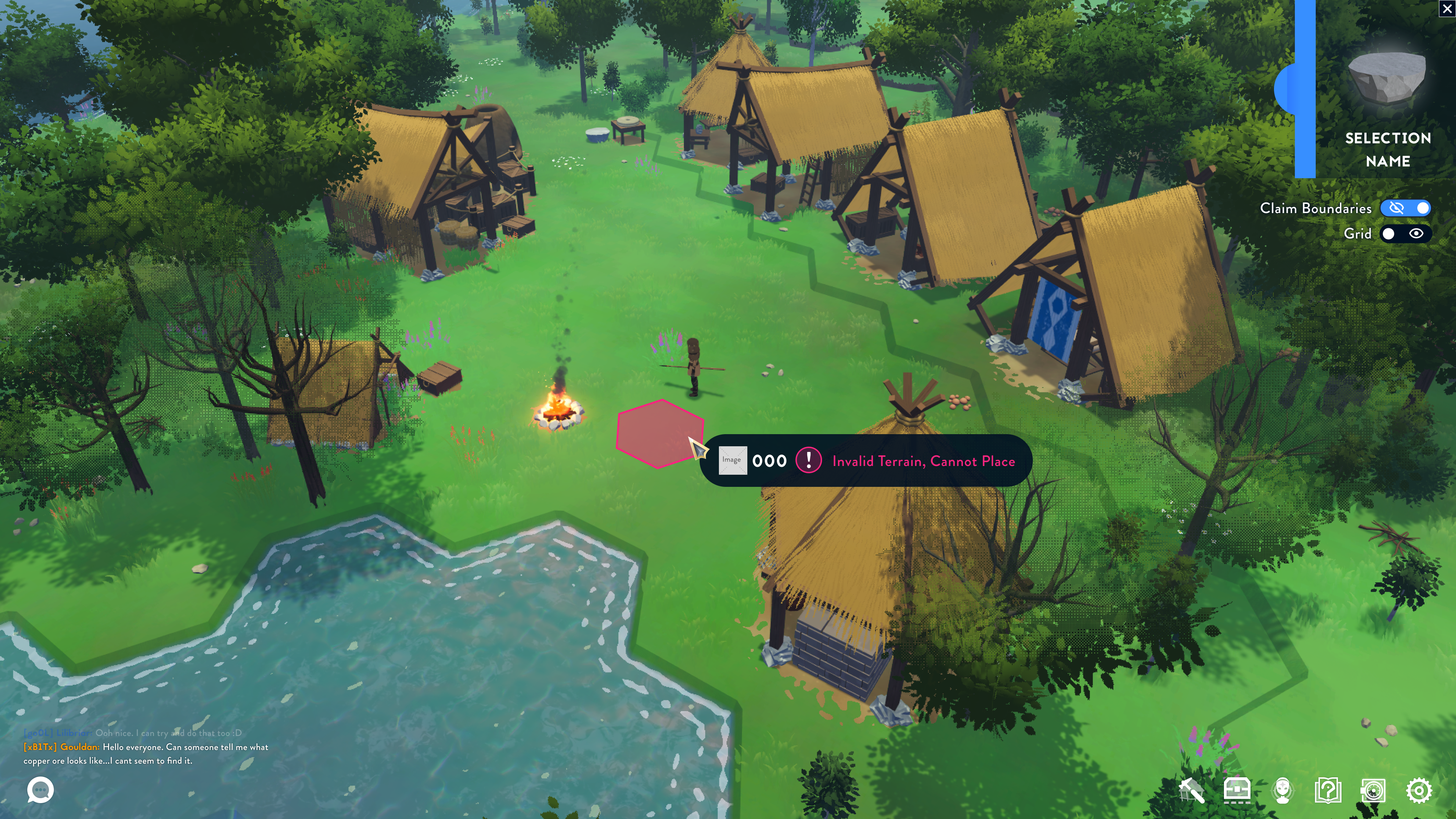
Invalid pavement placement mockup.
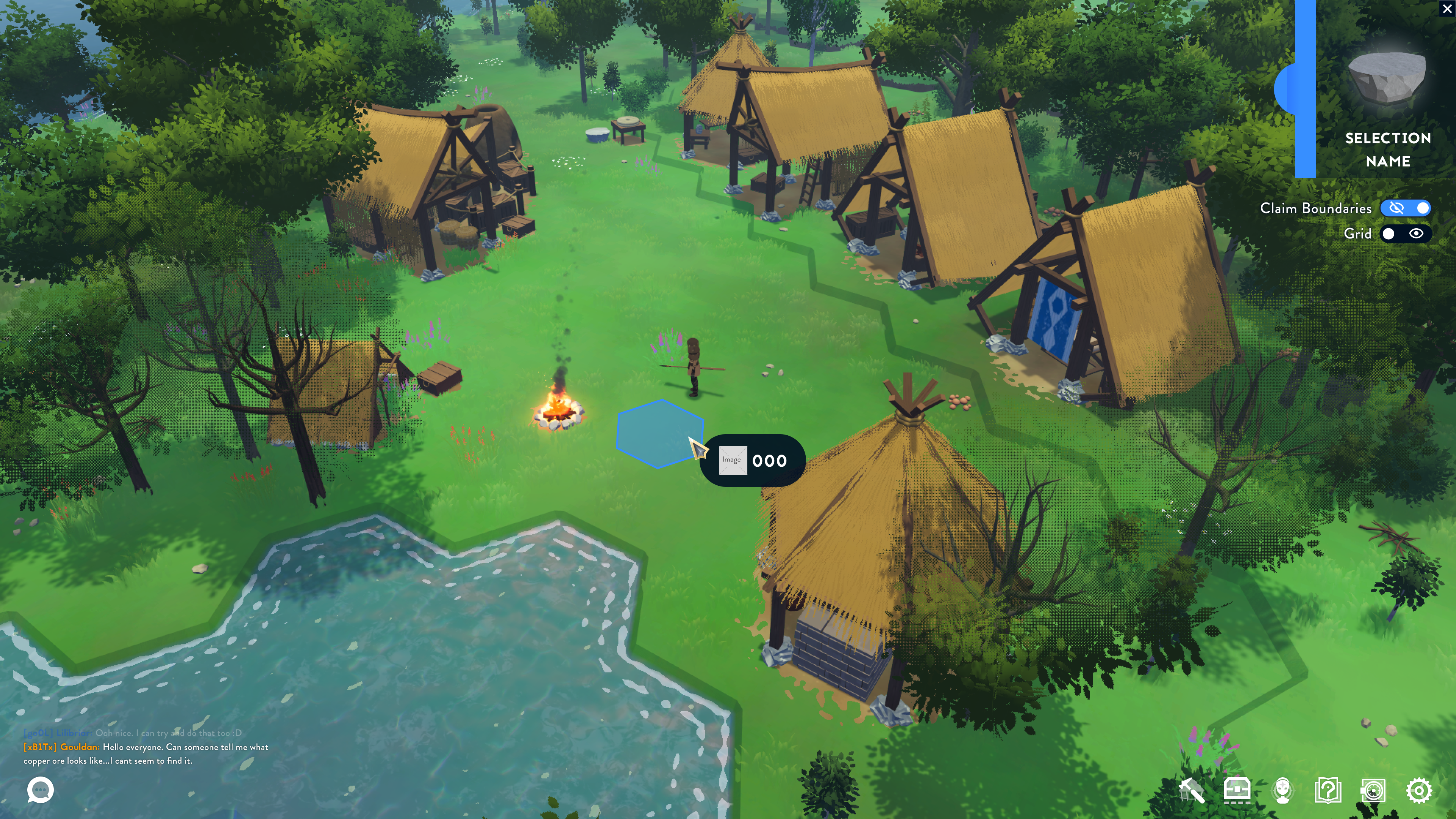
Paving placement mockup.
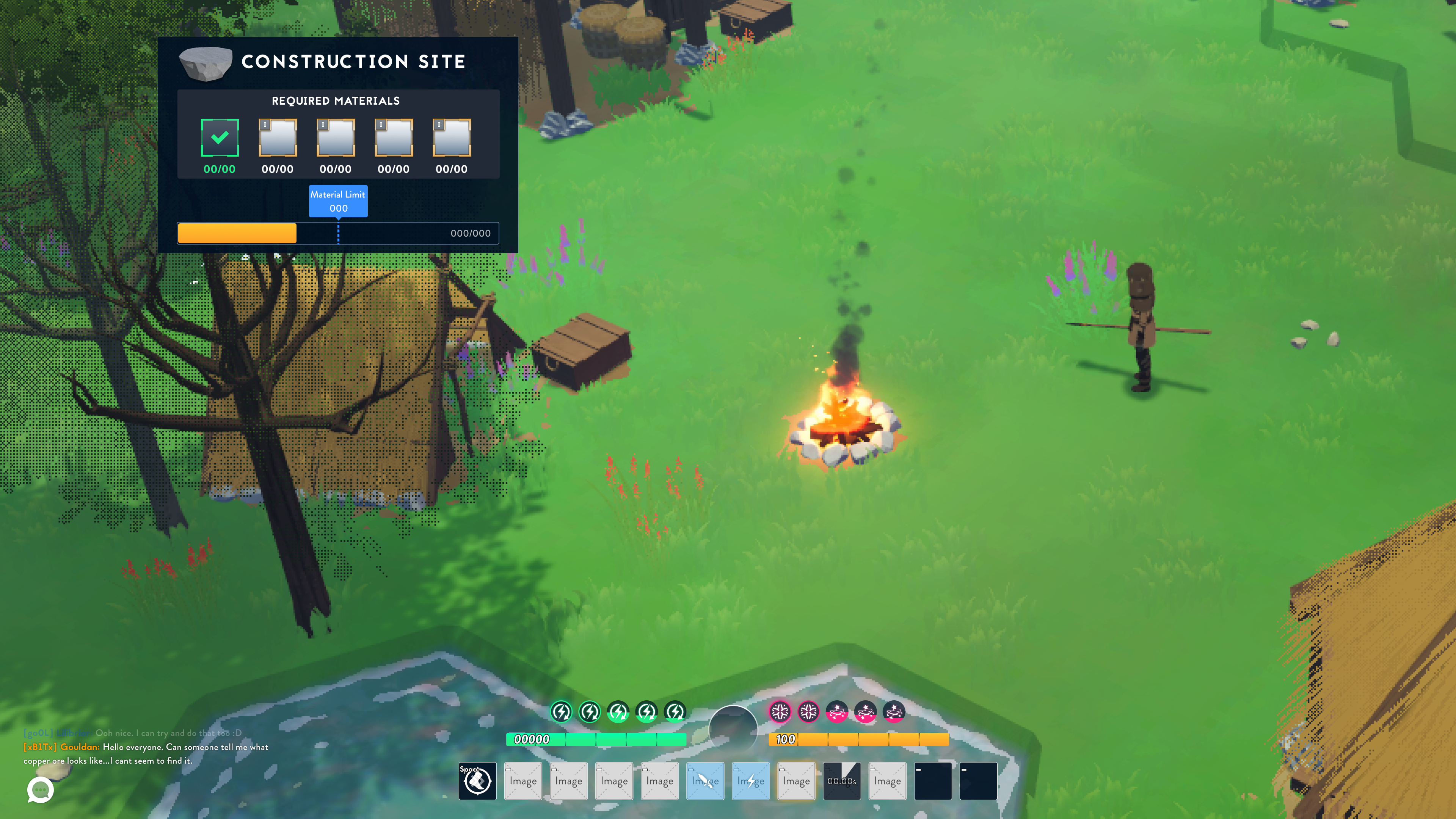
Mockup of a placed construction site that the player is hovering with their cursor.
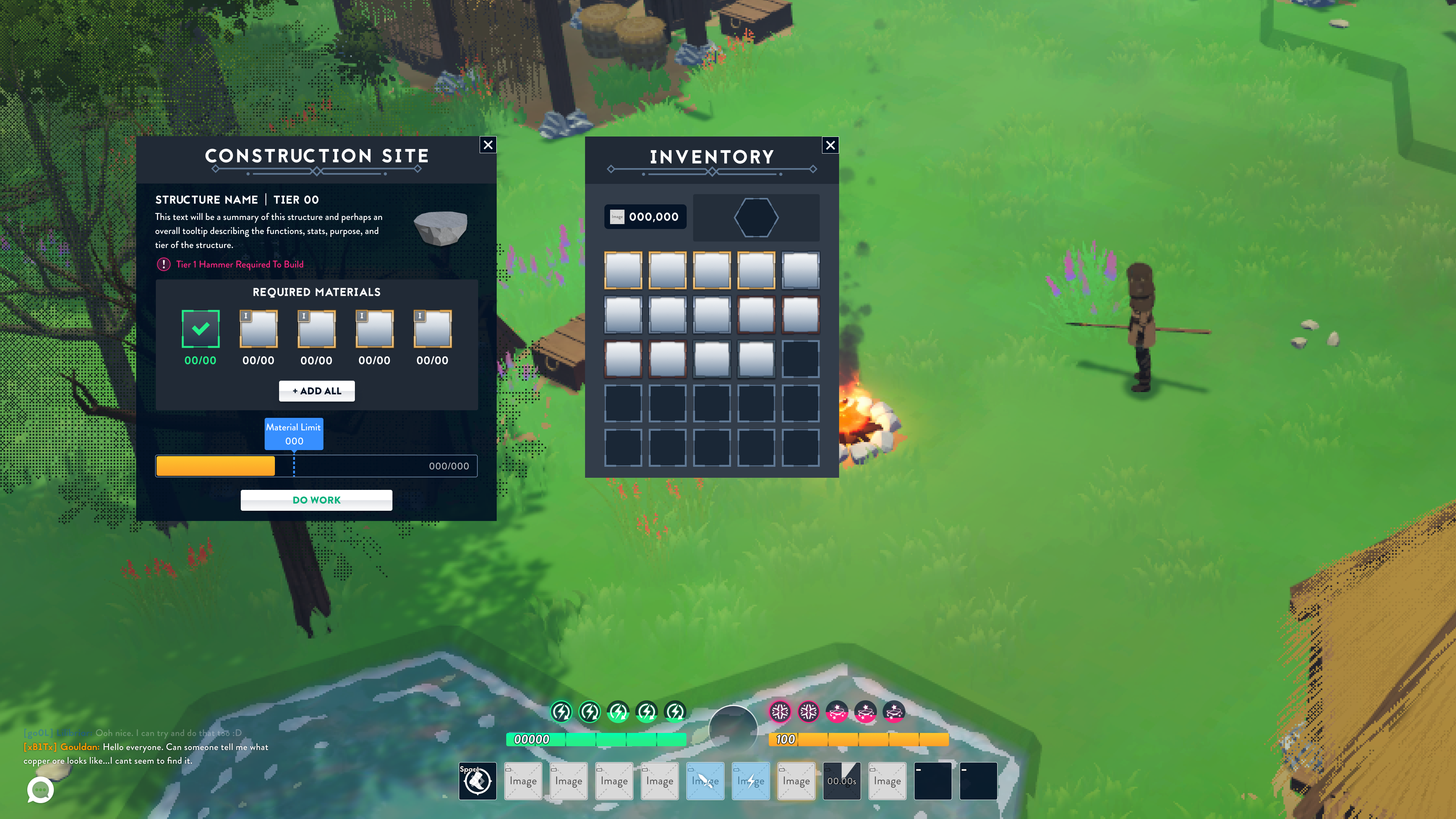
Mockup of a placed construction site upon interaction.
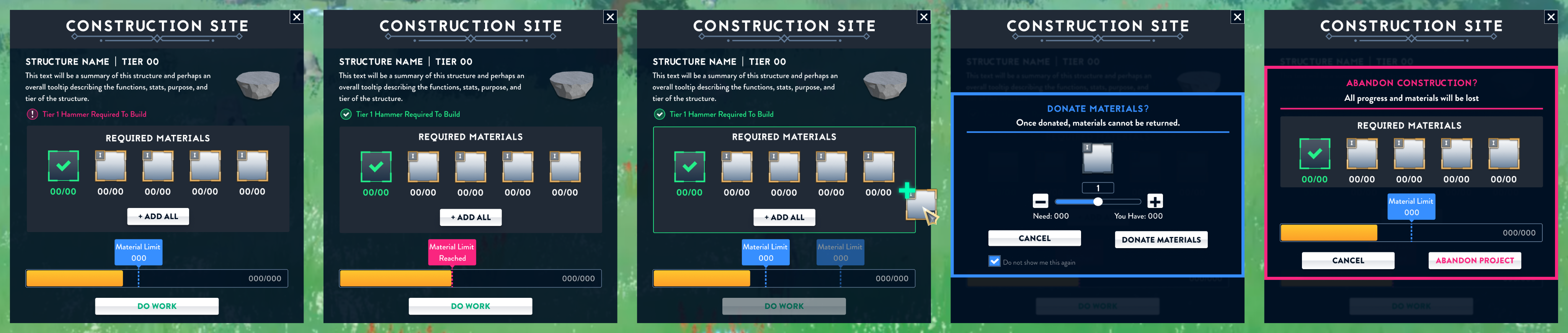
Construction site state variations.
A video prototype shows basic interactions within a dig site.
Entity Containers.
While serving as the sole UI/UX designer on the BitCraft team, I was responsible for a major UI update. During this period, I developed all elements, from UX conceptualization to UI component design and library creation for implementation. One example of this work is entity containers: whenever a player interacts with a game entity that can be stored in a system (e.g., inventory, shops). For this, I identified all the essential information needed by the player and organized it within a logical visual hierarchy, ultimately delivering the final design.
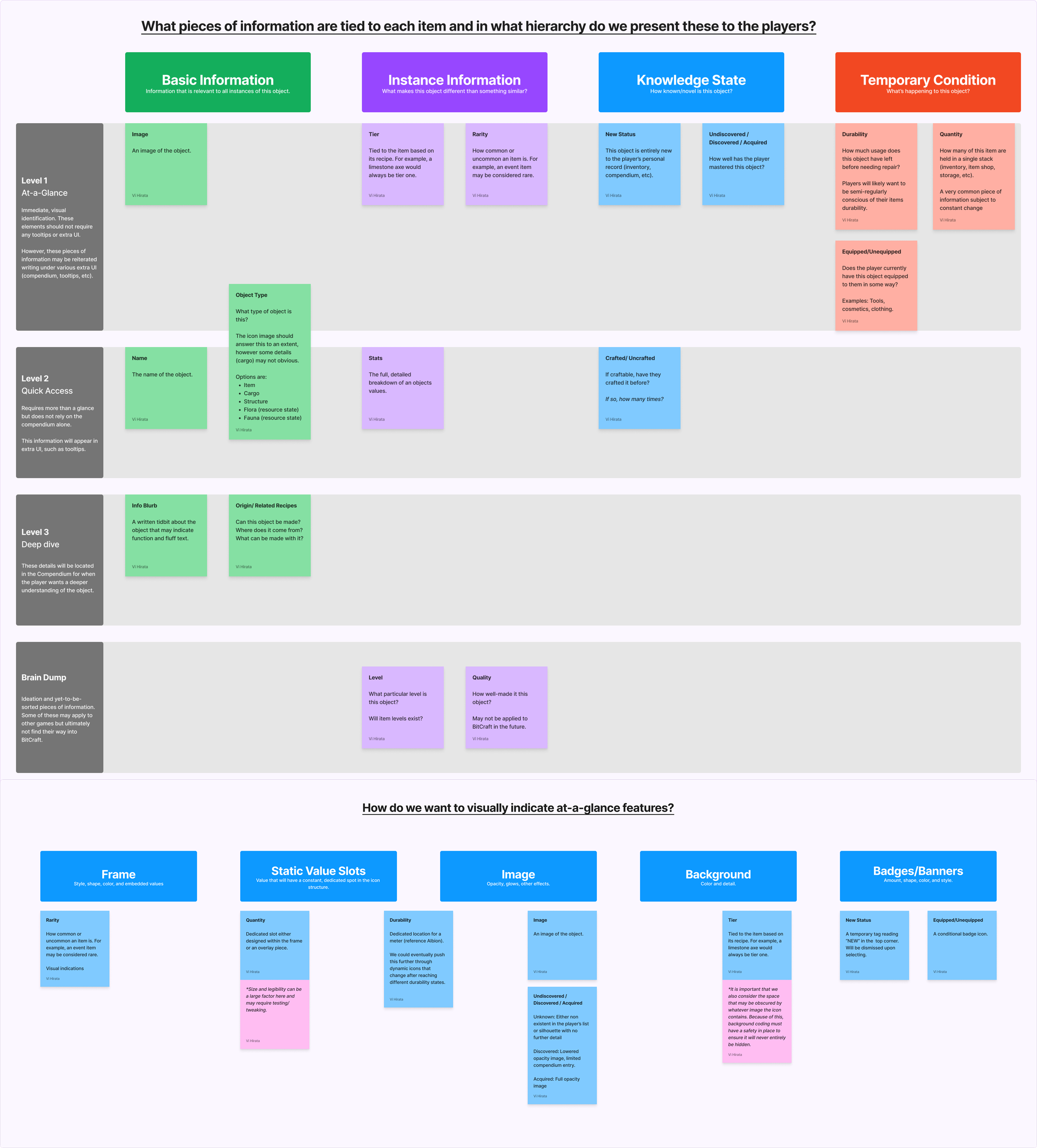
Logic breakdown of all the required information that players must be able to access when viewing an entity container.
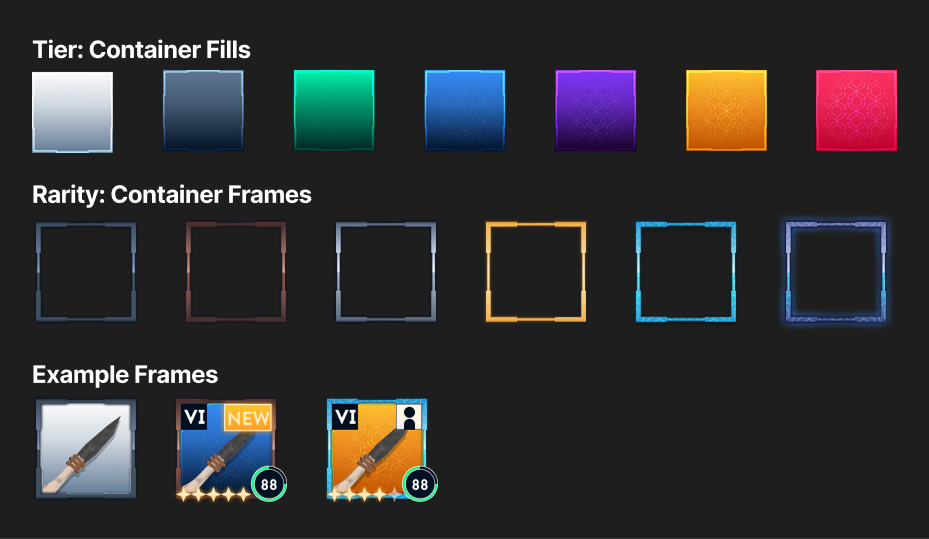
Entity container designs I created following the previously established logic.
HUD + Basic UI.
Before joining the team, BitCraft’s HUD had basic functional elements but lacked the features needed to build a full, responsive interface. To elevate gameplay, I identified all static, persistent HUD elements, as well as notifications and pop-ups. After defining these, I assigned each element a place on the screen, ensuring they would not conflict or fight for screen real estate.
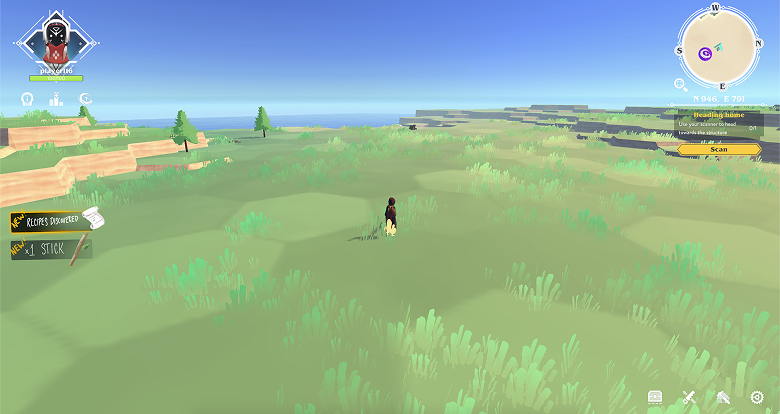
BitCraft’s initial HUD design with my initial drawover for gathering notifications.
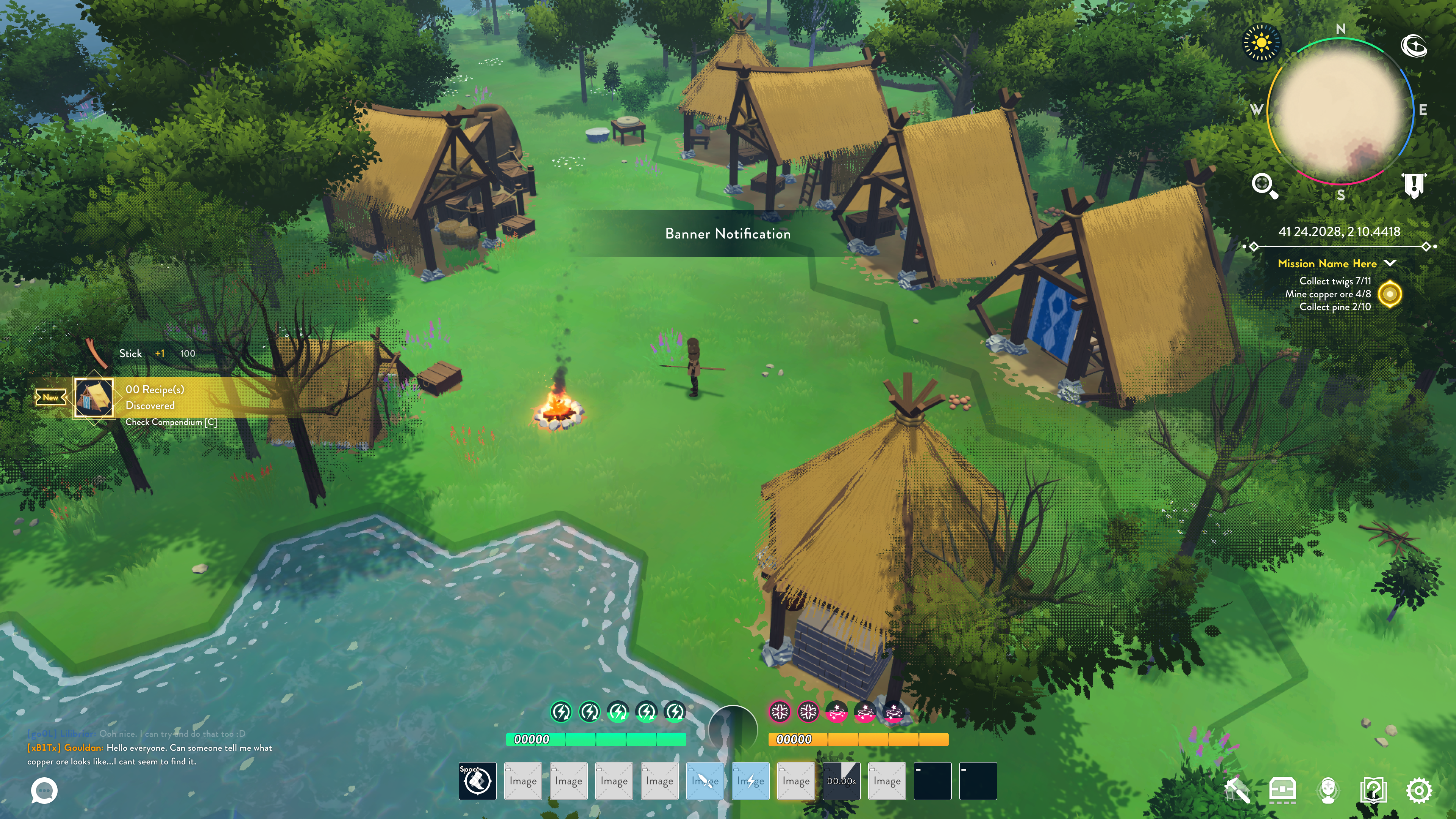
Pre-alpha mockup of the HUD, equipped with more elements and rearranged for cleaner gameplay.
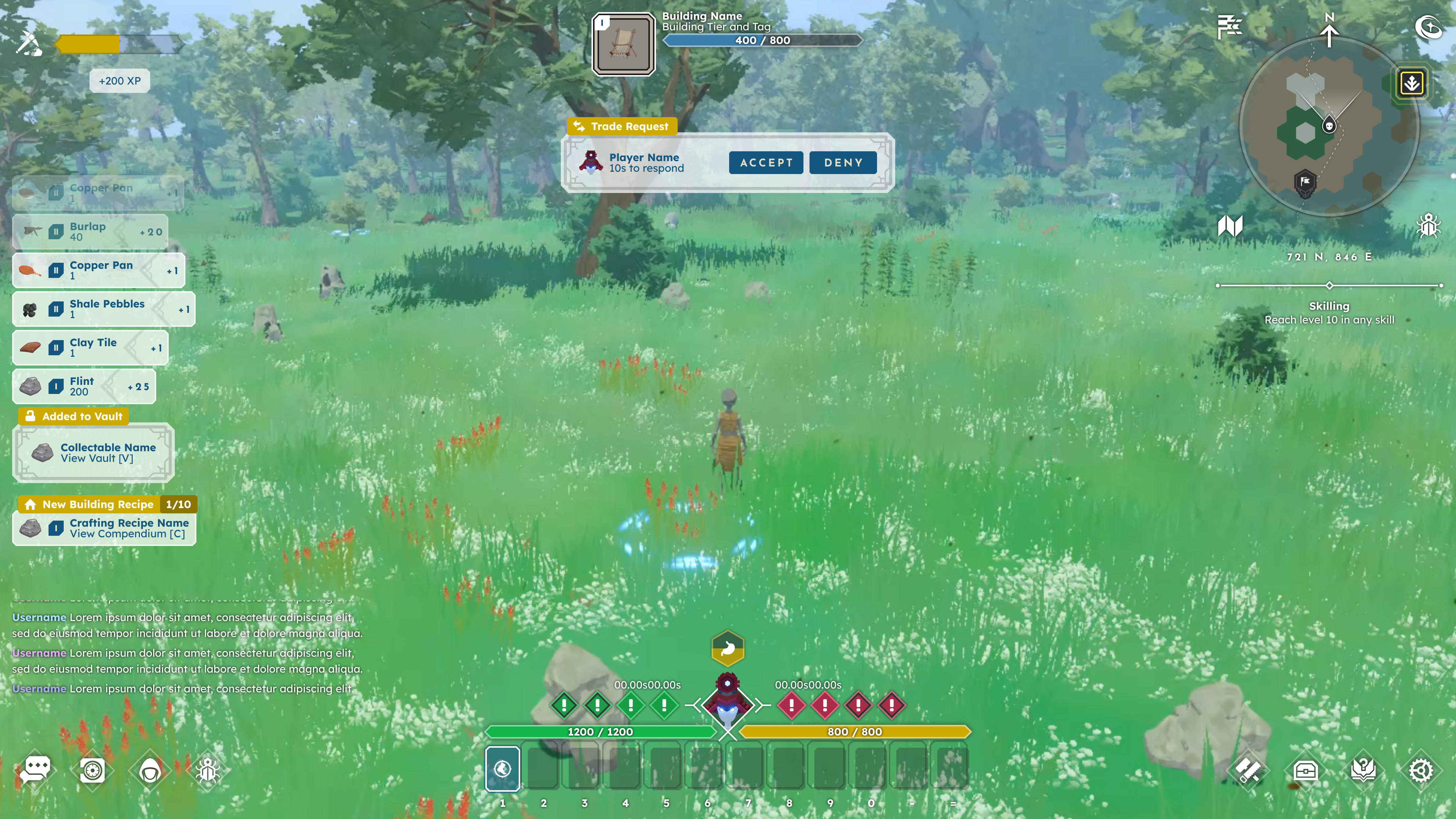
Alpha version of the HUD expanded to better support evolving gameplay.
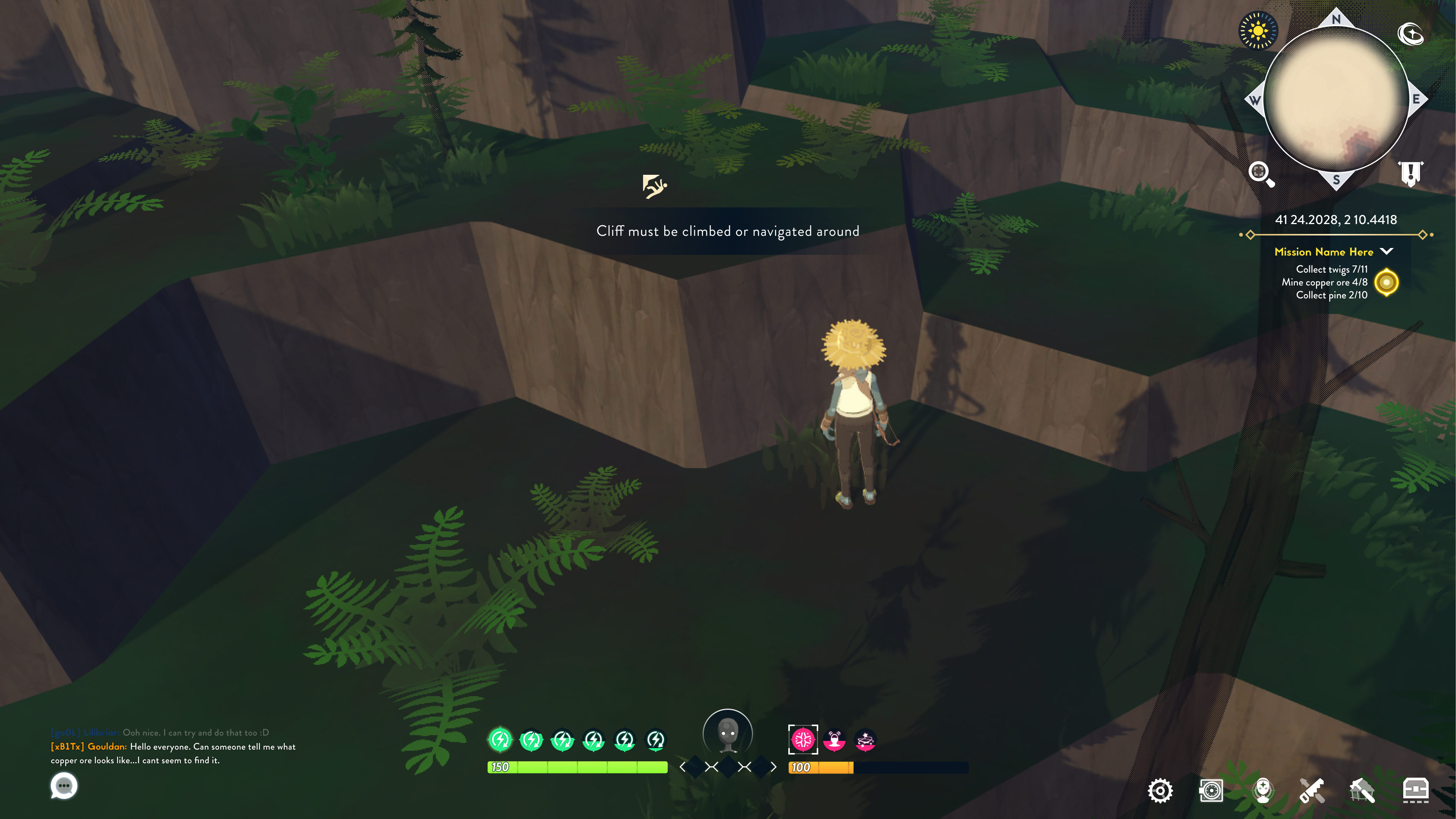
Example of a banner notification, indicating pressing feedback to the player.
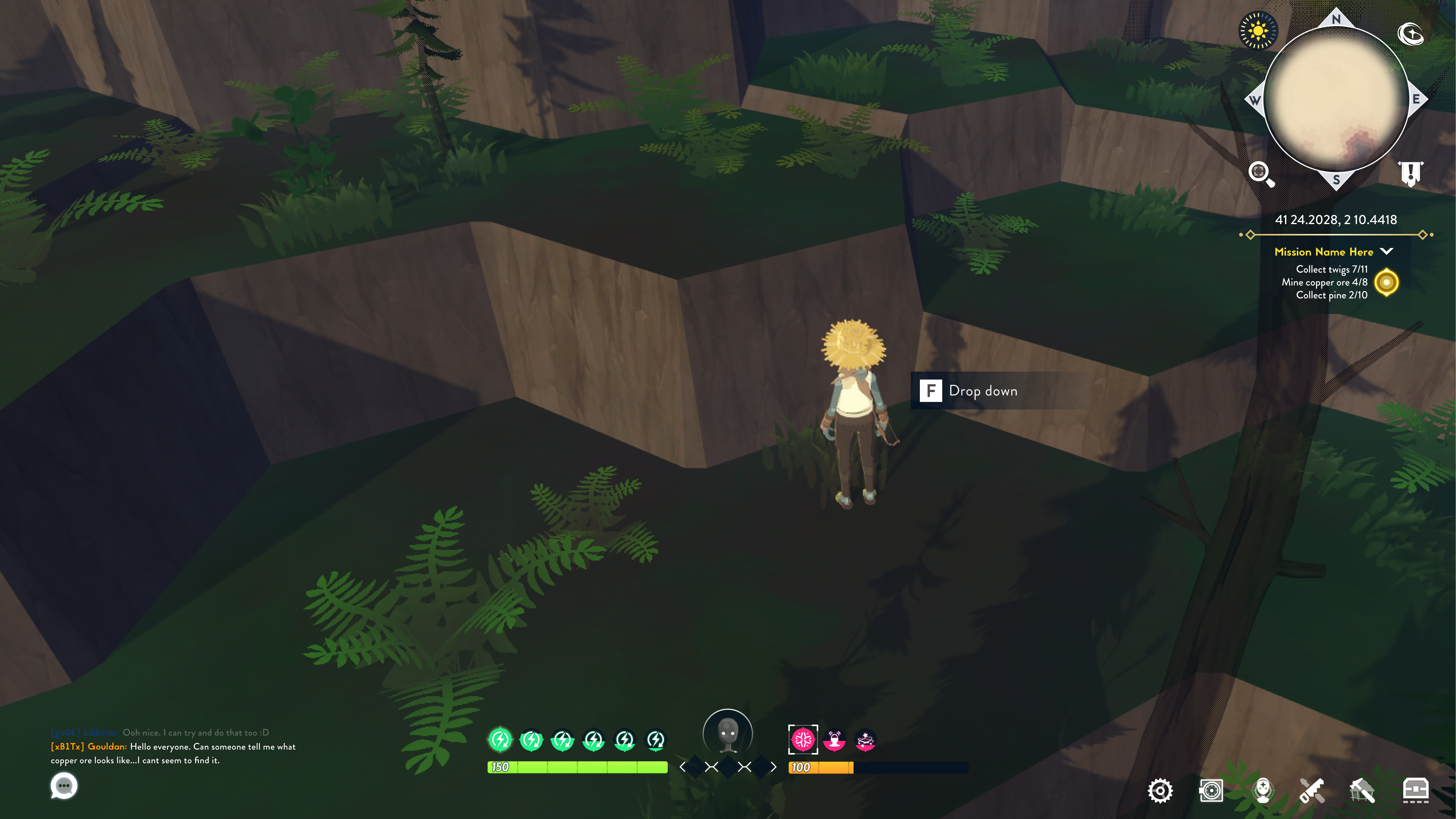
Mockup for key prompts done when exploring an alternative control scheme.
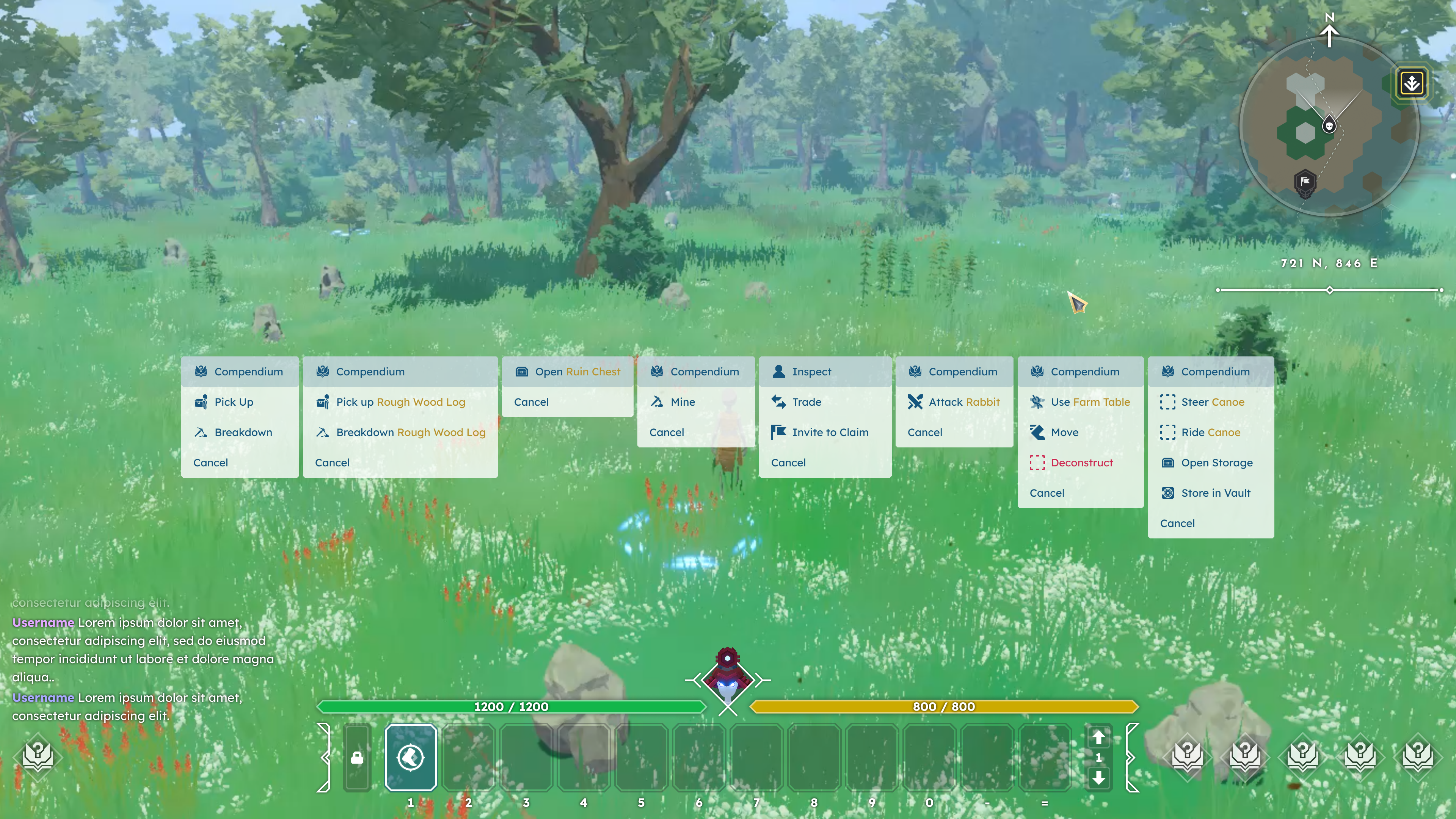
Variations of the context menu. To create the best experience, I created exhaustive lists of icons, color states, list order, and options for every interaction within the game.
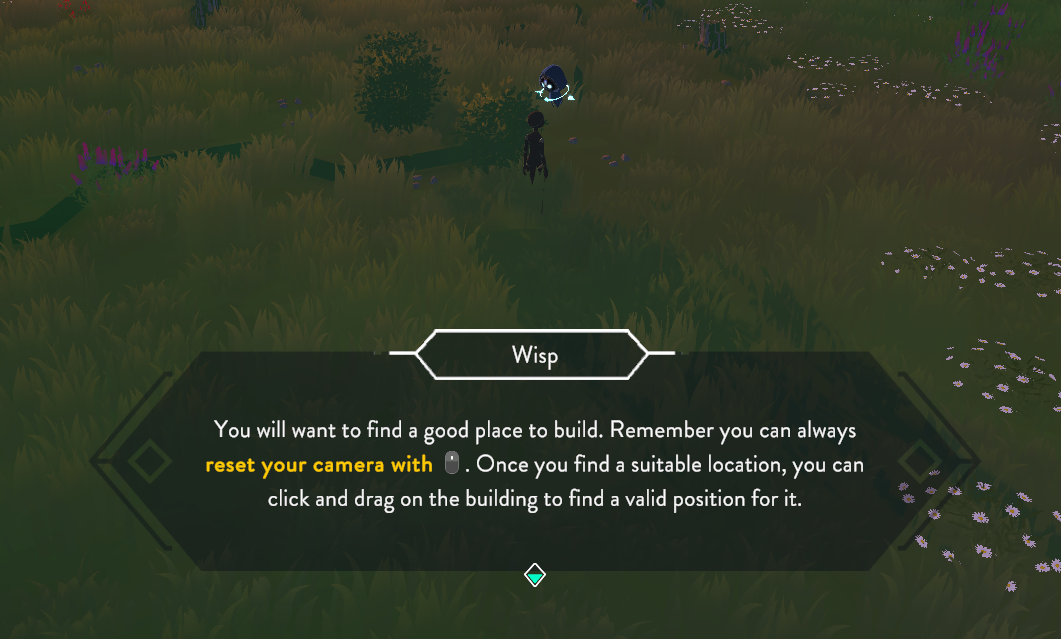
Dialogue with emphasized text and control indicators for accessibility.
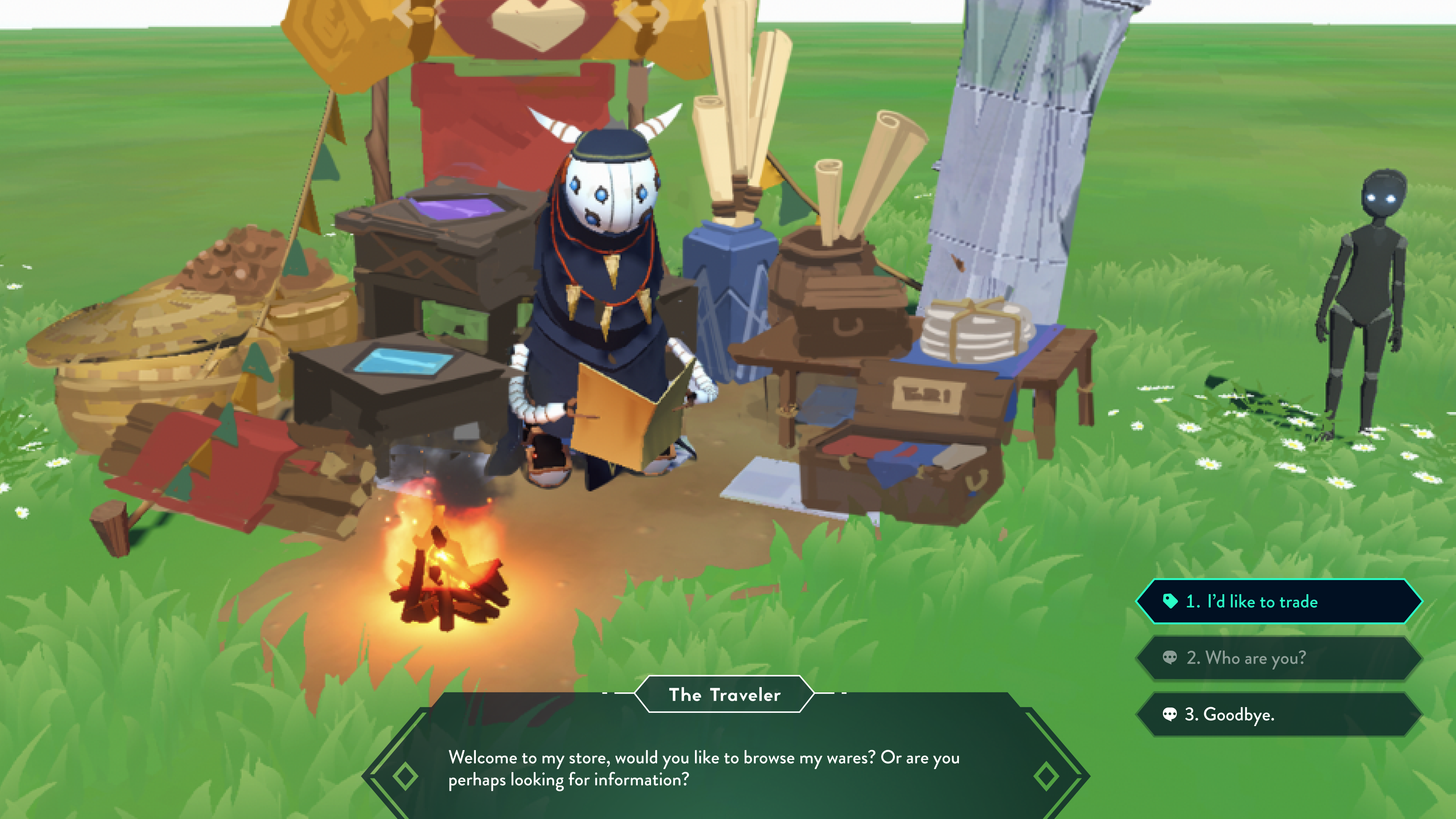
Shop dialogue with player response options.
Empires.
During the alpha, BitCraft introduced the empire system, under which players can form groups and band together to claim and contest territory against other empires. This required additional tabs within existing menus as well as entirely new UI. Below are low-fidelity mockups I created to support this system.
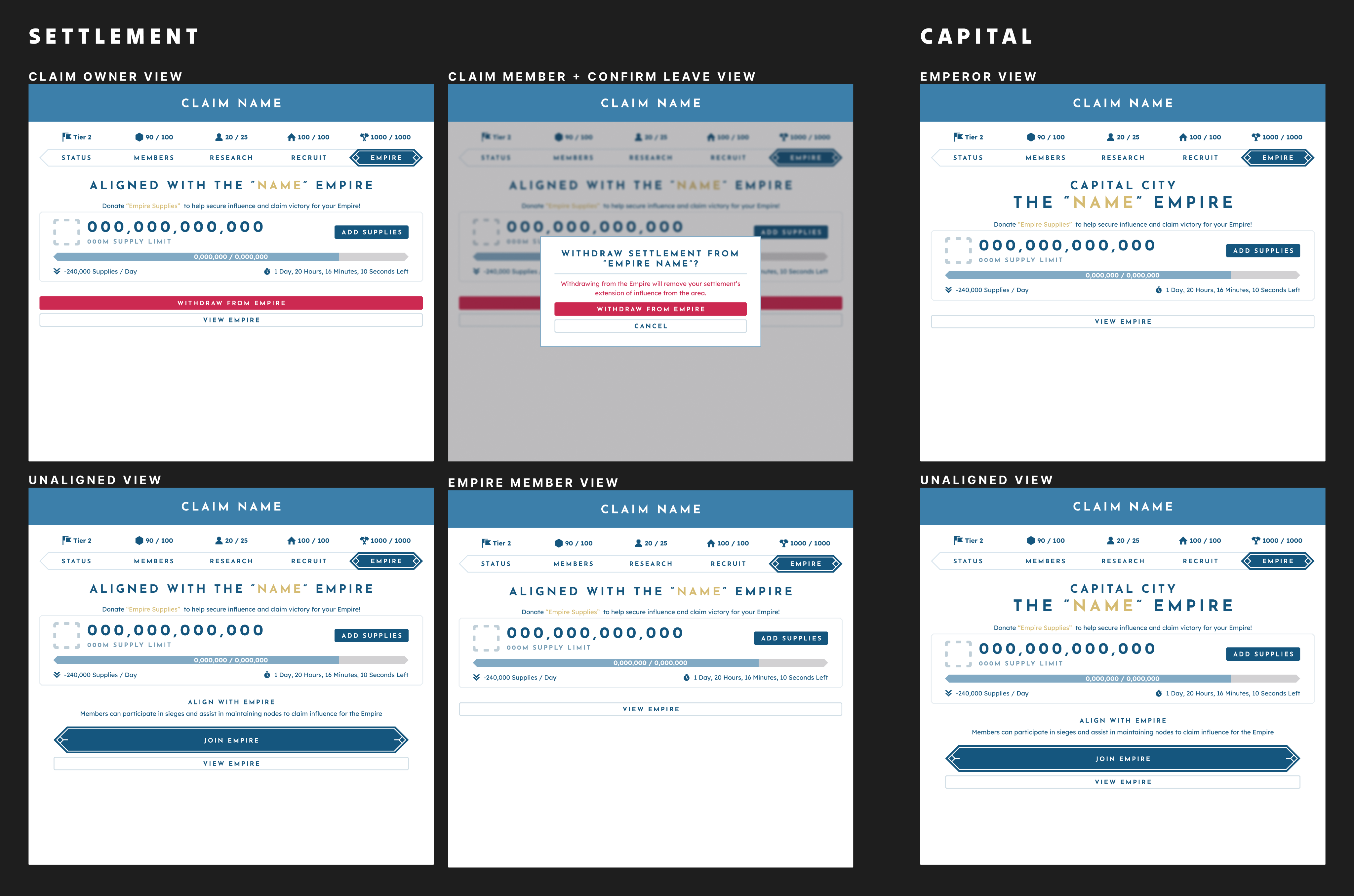
Views for the empire tab for the existing claim menu.
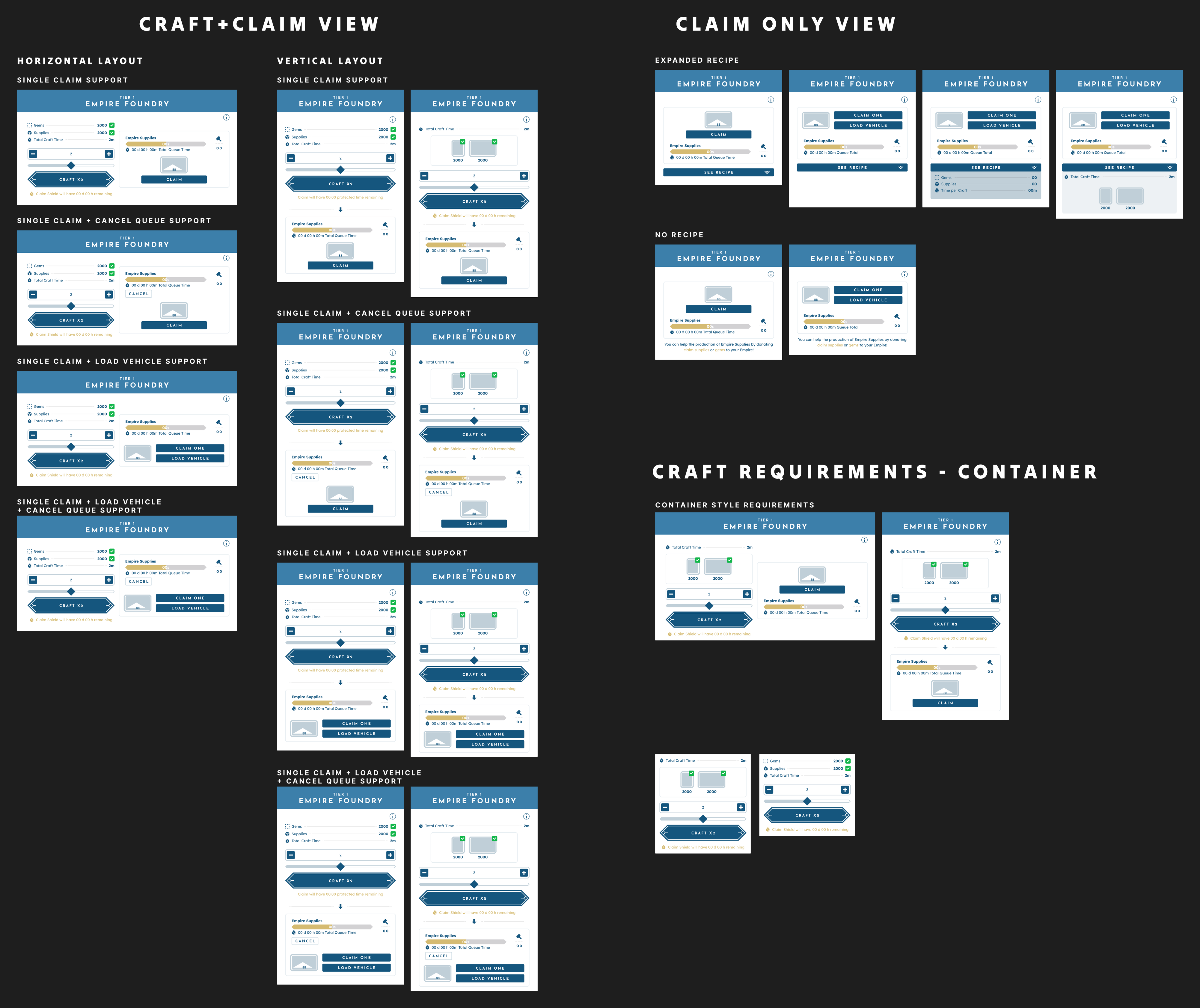
Explorations for the empire foundry views.
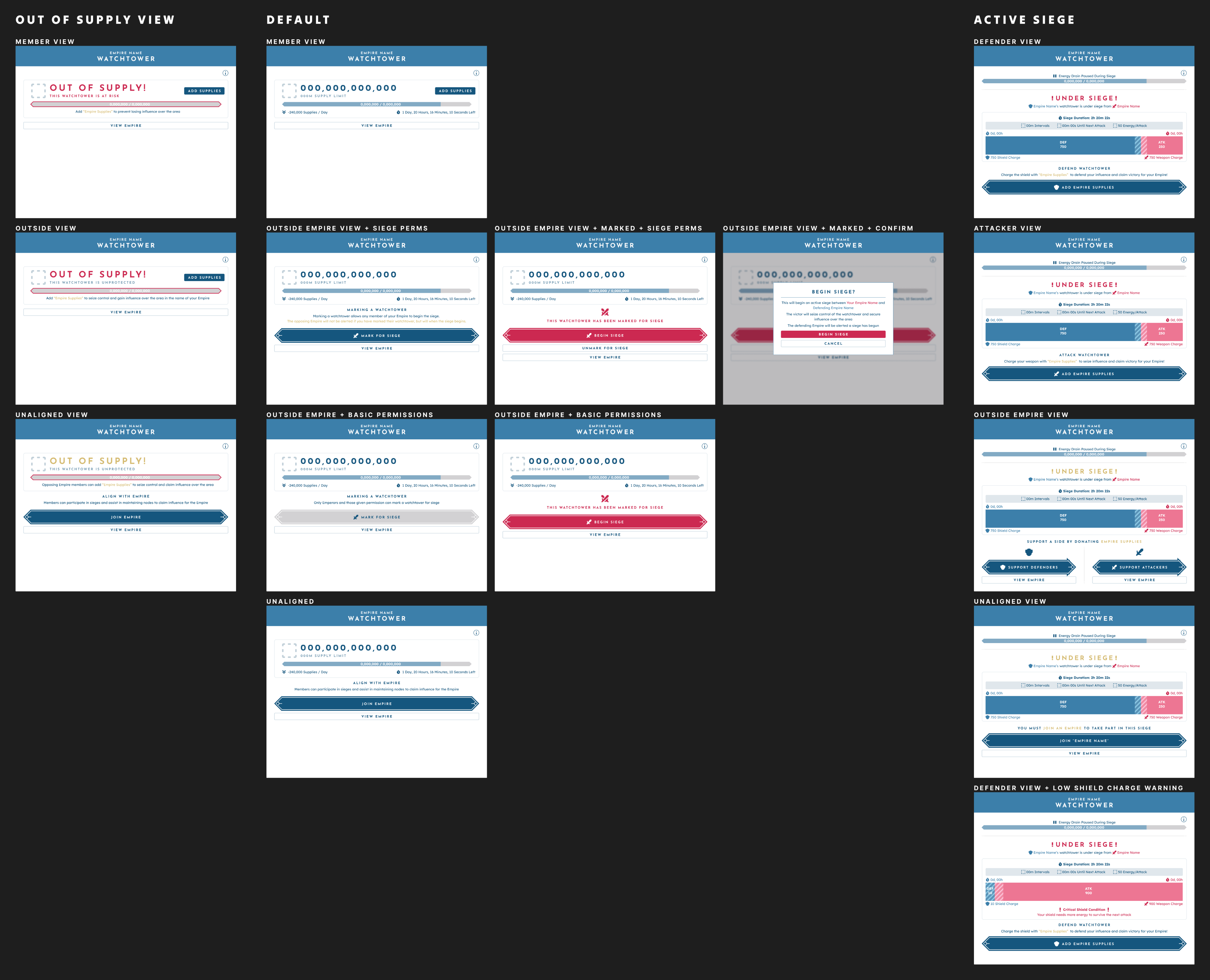
Views for the siege menu.
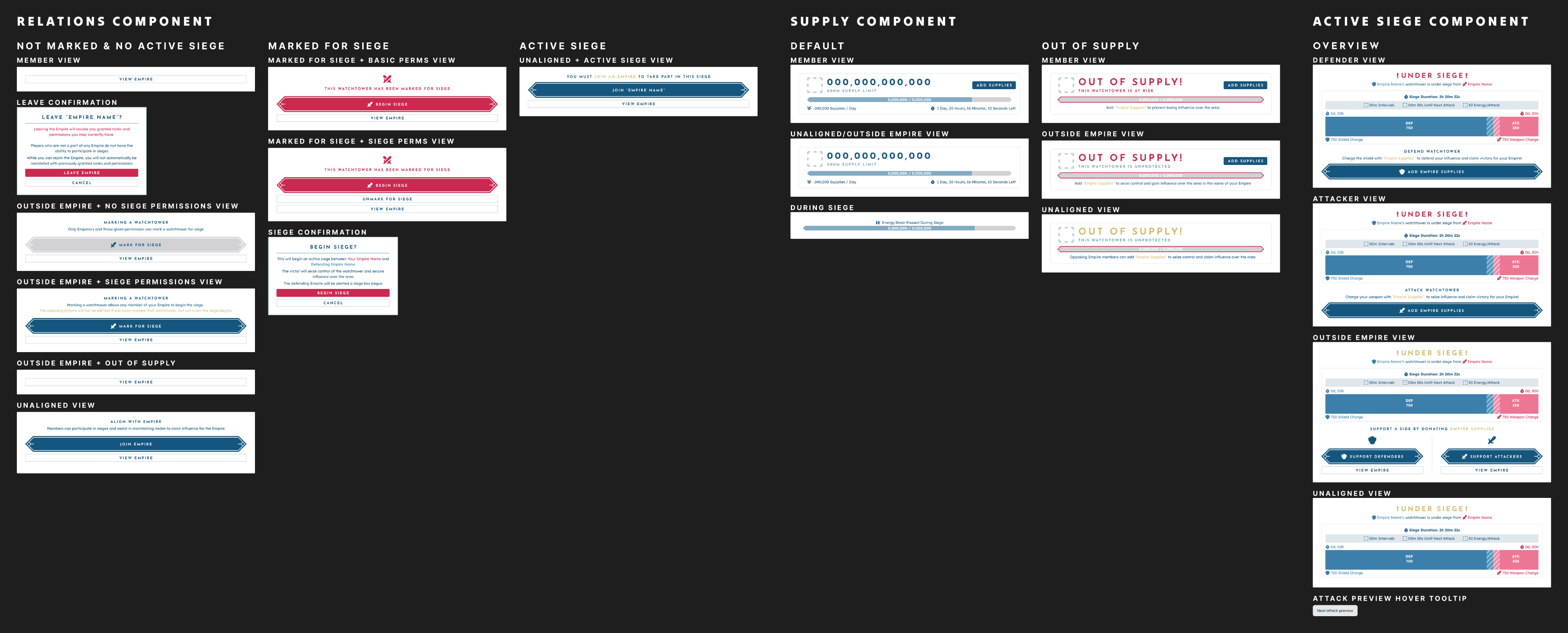
Components for the siege menu.
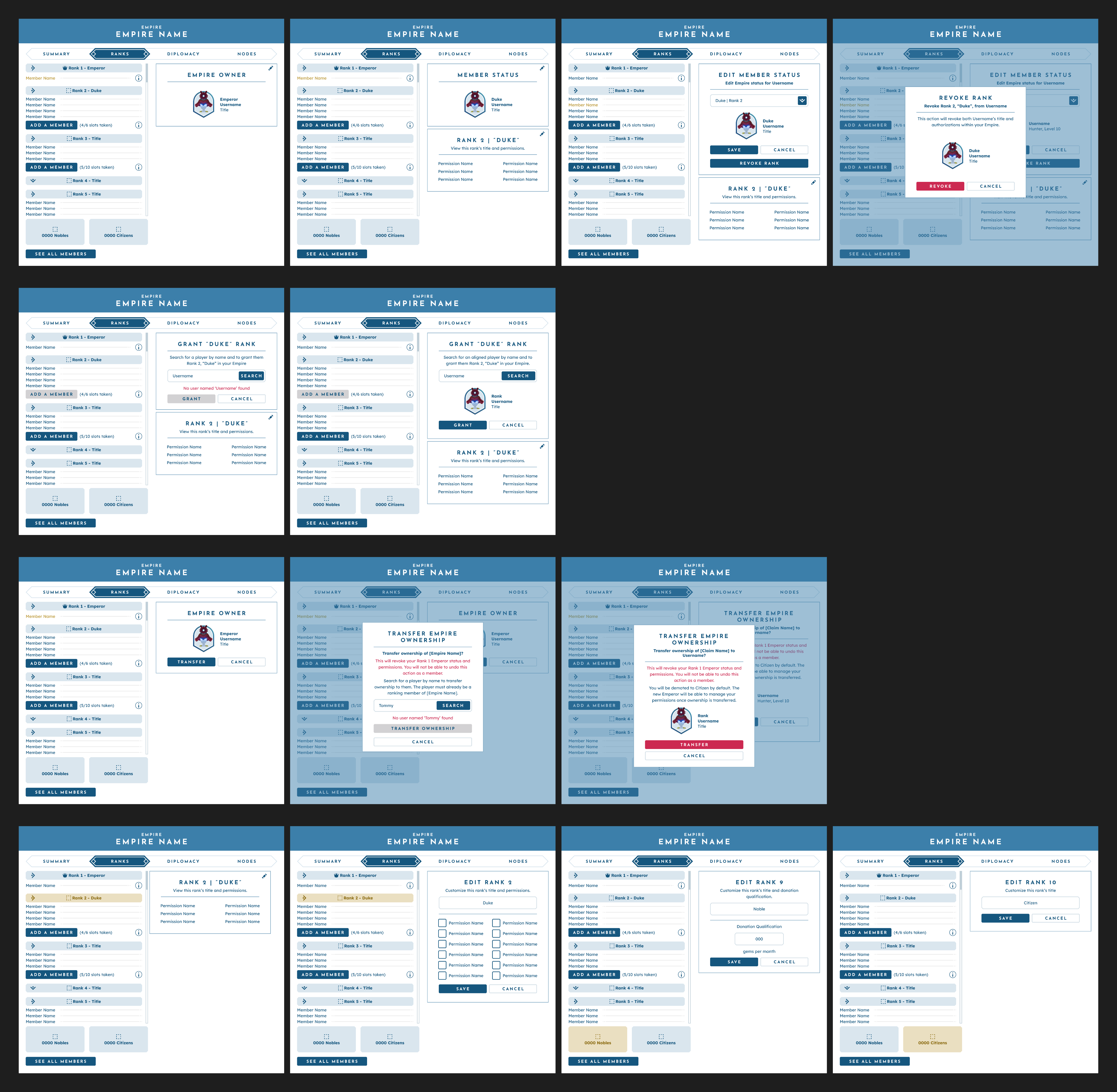
Views for the empire menu.
Logic Diagrams.
Many systems in BitCraft were still in conceptual, unstructured states when I joined the team. To address this complexity, I created logic diagrams—visual representations that outline the step-by-step flow and relationships within each system. These diagrams helped translate abstract ideas into structured, actionable design concepts. Selected examples of these diagrams are shown below.
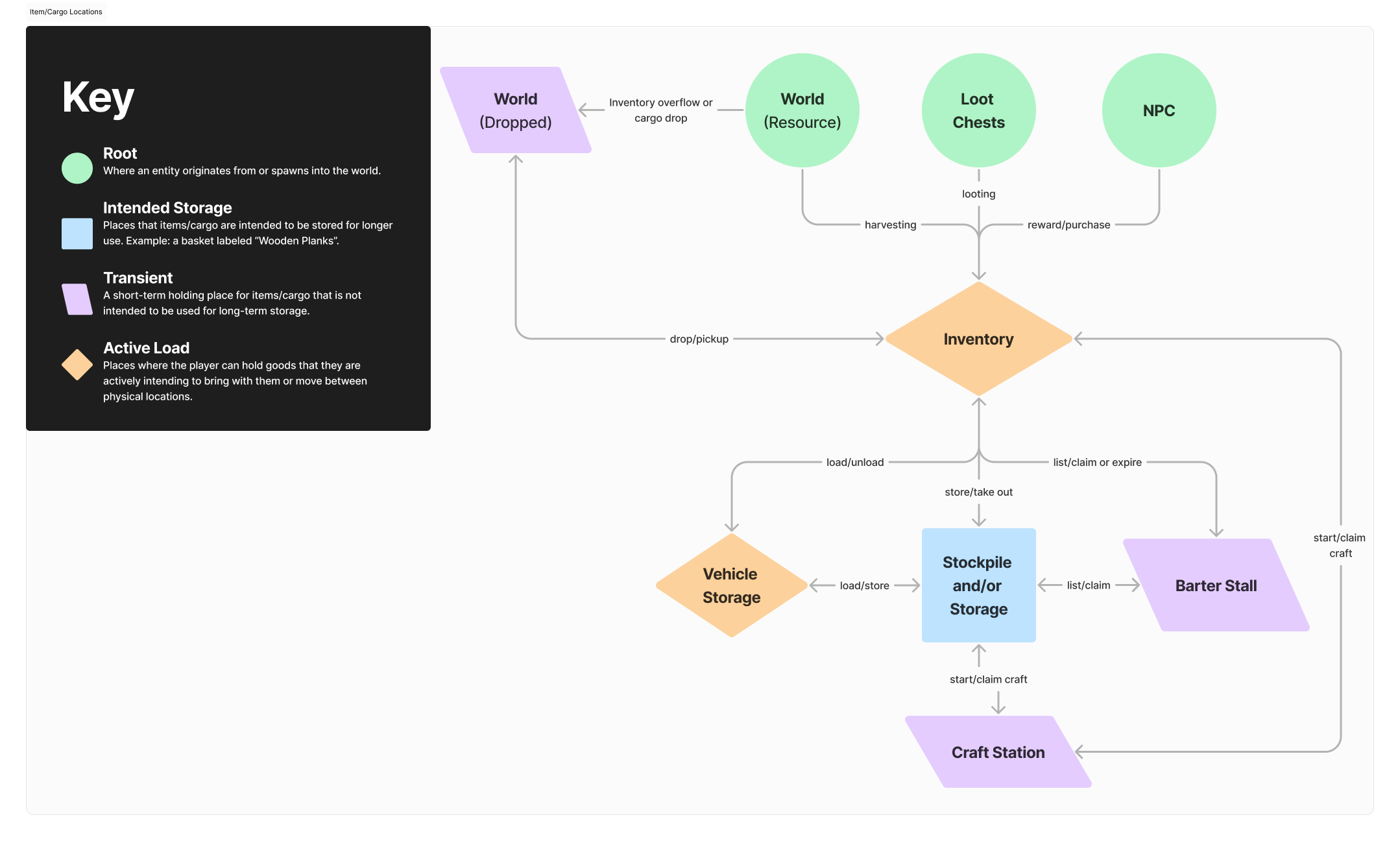
Diagram detailing all possible locations for cargo within bitcraft.
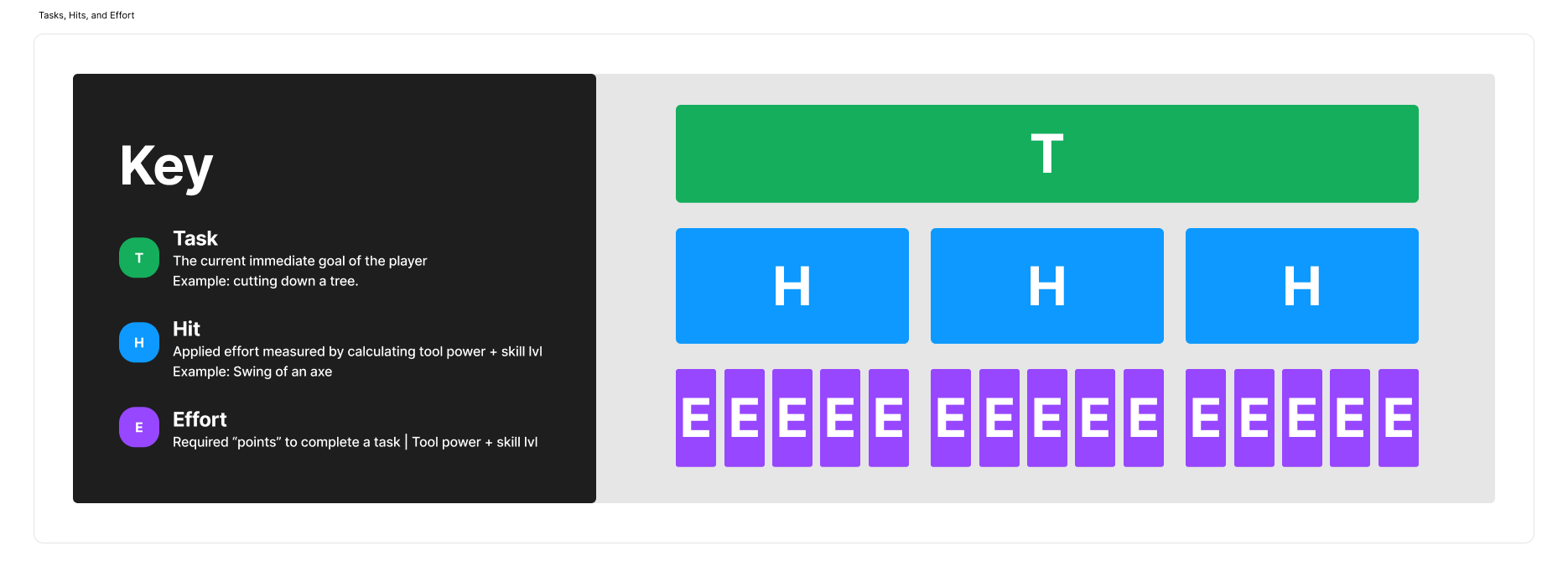
visualization of how task progression is calculated in bitcraft.
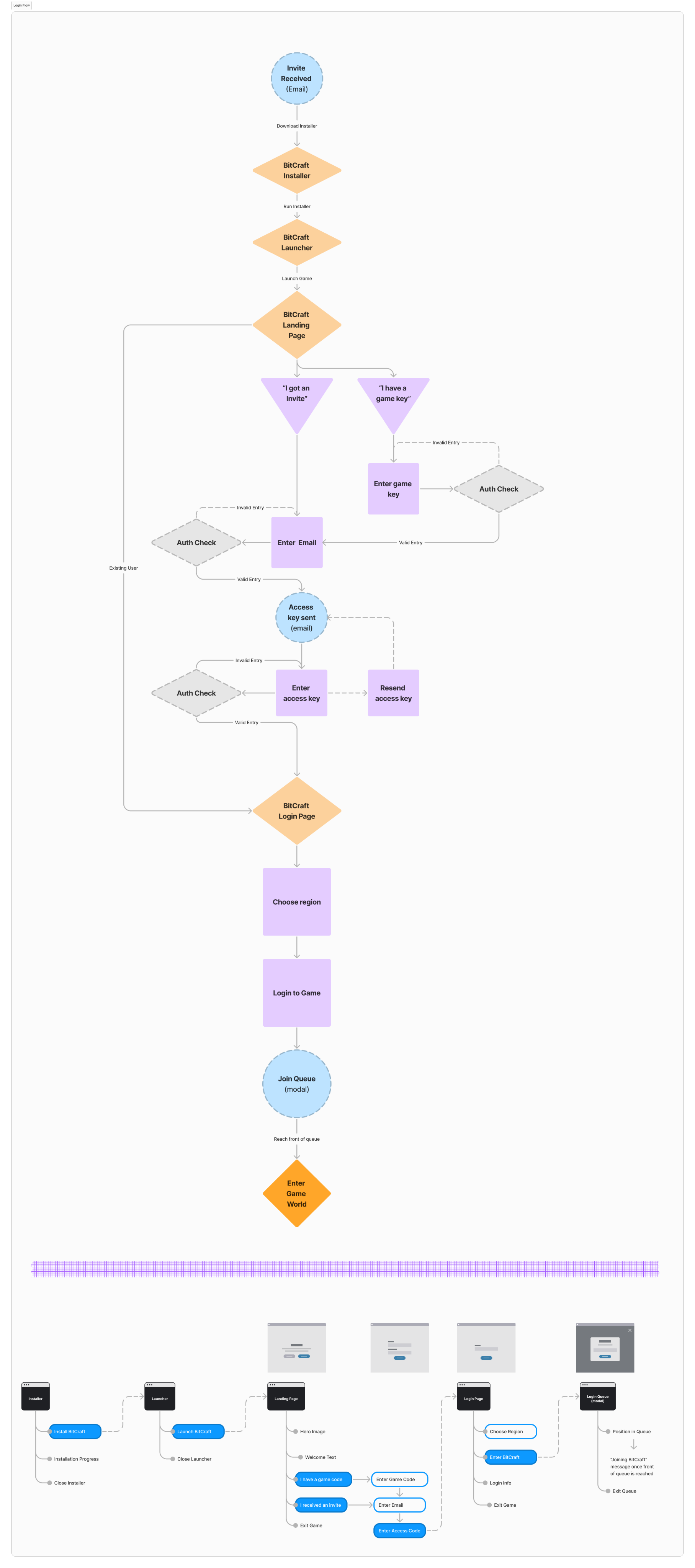
Diagram of BitCraft’s Login Flow during closed access.